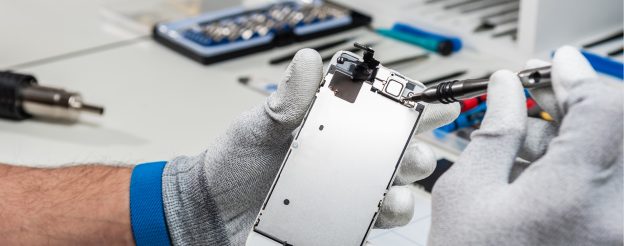
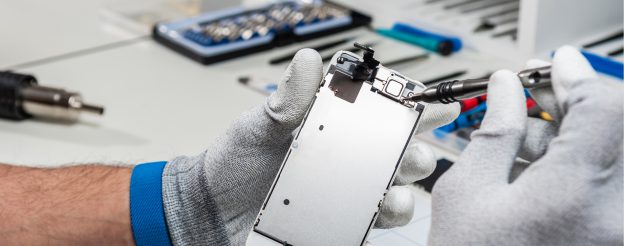
Apple devices are an important part of everyday life, helping with both work and personal tasks. But problems like software bugs, screen damage, or battery issues can affect how they work and cause frustration if not fixed quickly. Trustworthy Apple support provides expert help to keep your devices running well and avoid more problems.
Professional Apple support services focus on providing accurate solutions for various issues that users commonly encounter with their devices. Skilled technicians handle repairs, troubleshooting, and maintenance to ensure that iPhones, iPads, Macs, and other Apple products continue to perform well. This blog explains the available support options in Auckland and helps you understand how to select the right service provider.
Why Professional Apple Support Matters
Professional Apple support identifies problems quickly and accurately, helping to prevent recurring issues and keep devices functioning optimally. Trained experts fix the real cause, saving time and effort. They use the right tools and approved methods to provide safe and lasting repairs.
Expert services help avoid further damage that can happen with incorrect repairs. Trying to fix devices on your own can make problems worse and increase repair costs. Professional Apple support resolves issues properly the first time, keeping devices dependable.
Apple support in Auckland uses genuine parts and trusted repair methods to fix devices safely. Services follow strict standards to maintain good performance and ensure lasting results. Users can feel confident knowing their devices are repaired with proper care.
Common Apple Device Issues Users Face
Apple devices work well and are reliable, but problems can still happen over time. Knowing common issues helps users get the right Apple support when needed.
Cracked or Damaged Screens
Accidental drops can cause screens to crack or stop working properly. Professional repair centres use quality parts to fix the screens and restore touch and display functions. Reliable repairs keep Apple devices working well and looking good.
Skilled technicians also inspect surrounding components to confirm that no hidden damage occurred during impact. Proper assessments help maintain long-term performance and reduce the risk of recurring screen issues. Apple support ensures repairs meet quality standards and restore full device functionality.
Battery Drain and Charging Problems
Batteries naturally lose capacity over time, so devices won’t last as long and need charging more often. Technicians assess battery condition, charging rates, and performance to spot any faults. Apple Support offers help to fix battery problems and improve device efficiency.
Apple Support advises using original batteries to ensure safety and proper device performance. Using authorised parts reduces overheating risks and helps your battery last longer.
Software Errors and Freezing
Software problems can cause apps to crash, systems to freeze, or devices to slow down. Apple support providers in Auckland find the cause of these issues and use reliable solutions to fix them. Professional help ensures devices work smoothly and stay stable.
Technicians run detailed checks to spot errors, compatibility issues, or damaged files affecting performance. They restore proper settings and install stable updates to prevent the same problems from happening again. Getting support quickly keeps devices running well and improves reliability.
Water or Liquid Damage
Liquid exposure can damage device parts and cause it to stop working. Technicians clean the affected areas and remove corrosion safely. Quick Apple support helps save the device.
Repair centres carry out detailed inspections to check if any parts need replacing. Getting help early prevents more damage and reduces future problems. Professional recovery services provide a higher success rate than attempting home repairs.
Audio and Connectivity Issues
Issues with speakers, microphones, or wireless connections can cause problems with calls, music, and using your device. Apple support checks both the hardware and software to find what’s wrong. Fixing these issues helps make the sound clear and connections strong again.
Wireless problems like Wi-Fi dropping out or Bluetooth not working are fixed using careful checks. Technicians make sure the settings are right and replace any faulty parts if needed. Trustworthy repairs help your device stay connected and work better overall.
Apple Support Services Available in Auckland
Apple support in Auckland offers services for many Apple devices. Local centres fix iPhones, iPads, Macs, and other products using quality parts. They also provide device setup, software updates, and troubleshooting for personal and business needs.
Many Apple support centres in Auckland offer both on-site and in-store repair services. Users can visit for quick fixes or book appointments for problems that need detailed checks. Businesses can also get bulk device maintenance and technical support to keep work running smoothly.
Some Apple support providers in Auckland offer data recovery and system backup services to protect important files. These solutions help keep personal and business information safe from loss. With several Apple support options available, users can choose the service that best fits their device needs.
iPhone and iPad Repair Solutions
Apple support in Auckland offers repair services for iPhones and iPads to fix many issues. Screen replacements are common and help keep devices safe and working well. Trained technicians use quality parts and follow proper standards to ensure good performance.
Battery replacement services are available for iPhones and iPads with fast battery drain or sudden shutdowns. Proper installation helps extend the device’s life and lowers safety risks caused by faulty parts. Apple support providers use reliable products that are fully compatible with the device.
Water damage repair services assist users in rescuing their devices after accidental spills. Experts thoroughly examine the affected areas, clean the internal components, and replace any parts that are beyond repair. With professional Apple support, you can trust in effective solutions that extend your device’s life and keep it working properly.
MacBook and iMac Troubleshooting Services
MacBook and iMac users rely on their devices for work and personal use, so quick support is important. Apple support in Auckland fixes common issues such as slow performance, startup failures, and overheating. Technicians run detailed checks to find the cause of the problem and provide effective repairs.
Hardware services include logic board repairs, SSD upgrades, and replacing faulty parts. These solutions improve device performance and extend usage without needing a full replacement. With Apple support, users can trust that their devices receive proper care and reliable solutions.
Software troubleshooting is also included in MacBook and iMac support services in Auckland. Technicians help with system updates, malware removal, and data recovery to keep devices running smoothly. Reliable Apple support ensures users can continue their work without major disruptions.
Benefits of Choosing Local Apple Support
Local Apple support in Auckland is faster, so you can get your devices fixed quickly. Going to a nearby service centre saves time and is easier to reach than faraway repair shops. You can see expert technicians right away, which helps solve urgent problems without waiting too long.
Personalised service is another advantage of using local Apple support providers. Technicians understand common device issues experienced by users in the area and tailor solutions to meet individual requirements. This approach ensures better results and creates a smoother experience for customers seeking assistance.
Local Apple support helps you keep your devices in good condition with regular care and advice. Since the experts are nearby, you can get quick and reliable help whenever you have a problem. This makes local support a great option for looking after your devices.
How to Choose the Right Apple Service Provider
Finding reliable Apple support in Auckland begins with checking certifications and qualifications. Certified technicians ensure repairs are carried out correctly using genuine parts for the best results. Service warranties offer reassurance that repairs meet high standards and are made to last.
Customer reviews and recommendations help users find reliable Apple support centres. Positive feedback shows consistent quality, clear pricing, and dependable service. Checking independent ratings and testimonials ensures a better repair experience.
It’s also useful to compare different service options, pricing, and repair times when choosing a provider. A reputable Apple support centre will be clear and upfront about costs and procedures before starting any work. Being well-informed helps you get efficient repairs without paying more than necessary.
Tips to Maintain Your Apple Devices
Apple devices need consistent care to remain reliable and functional. Following simple practices helps improve performance and extend the overall lifespan of your devices.
Regularly Update Software
Regular software updates are essential to keep your Apple device secure and performing well. These updates often include important fixes, improvements, and new features that enhance your experience. Staying up to date helps prevent issues and keeps your device running smoothly.
Apple support recommends enabling automatic updates to avoid missing critical improvements. Staying current with the latest versions helps maintain compatibility with applications and security patches. Consistent updates reduce potential vulnerabilities and improve overall device reliability.
Use Protective Cases and Screen Guards
Protective cases help reduce the risk of damage caused by drops or impacts. Screen guards provide extra safety, keeping the display safe from scratches and cracks. These accessories keep Apple devices looking good and working well.
Using high-quality covers and guards can save money on future repairs. Apple support recommends using durable and well-fitted accessories for better protection. Proper care helps maintain device performance and extends its lifespan.
Avoid Unauthorised Applications
Installing apps from official sources helps keep devices secure and running smoothly. Third-party apps from unverified sources can pose risks and compromise personal data. Using trusted platforms helps prevent these issues.
Apple support recommends downloading apps only from the App Store to keep the system safe. Verified apps go through security checks to meet Apple’s standards. Safe installation practices protect devices from malware and performance problems.
Optimise Charging Habits
Proper charging habits help keep the battery healthy and efficient. Avoiding frequent full discharges makes the battery last longer and improves performance. Using certified chargers ensures safe and steady power.
Apple support recommends unplugging the charger once the battery is fully charged to prevent excessive wear. Good charging practices maintain steady performance and reduce the need for early replacements. Checking battery settings helps manage usage and improve charging efficiency.
Schedule Periodic Device Check-Ups
Routine inspections by trained professionals help detect hardware or software issues before they worsen. Early identification of faults allows timely repairs, reducing the risk of sudden device failures. Preventive maintenance ensures reliable operation and lowers long-term repair costs.
Apple support centres in Auckland offer diagnostic services to keep devices working well. Regular check-ups give expert advice based on how each device is used. Professional assessments help Apple devices stay in good condition and perform reliably.
Keep Your Apple Devices in Top Condition
Apple devices require proper attention to maintain performance and reliability over time. Regular maintenance checks and timely repairs through trusted Apple support providers in Auckland keep devices operating smoothly. Professional services ensure accurate fixes and safeguard valuable data during troubleshooting or upgrades.
Having access to reliable Apple support also reduces stress when unexpected problems occur. Technicians use approved tools and quality components, providing users with confidence in every repair or service. White Swan Mobile Phone offers dependable Apple support, ensuring devices remain functional and well-protected.
Your iPhone battery replacement may become important when your device, which serves as your camera, planner, wallet, and gateway to the digital world, starts showing reduced performance. Since your iPhone plays a key role in your daily routine, its performance directly affects how well you stay productive and connected. Over time, the battery can lose efficiency, leading to slower operation, unexpected shutdowns, and shorter usage periods throughout the day. Replacing the battery at the right time can restore performance and improve overall usability.
Instead of putting up with a faulty battery, replacing it on time is a smart way to refresh your device and extend its lifespan. Changing your battery isn’t just about getting your phone working again; it’s about protecting a device that holds your data, memories, and personal information. This guide will walk you through each step, helping you avoid common mistakes and ensuring your iPhone battery replacement is done smoothly and professionally.
Knowing When to Replace Your iPhone Battery
Many iPhone users start to see small changes in how their phone works before the battery fully wears out, but these signs are often ignored. One early sign is the battery running down quickly, even after a full charge or with light use. Another issue is the phone getting warm during normal tasks or while charging, which could indicate that the battery is not functioning properly.
Inconsistent charging is also a clear sign that your battery might need replacing. This could mean your iPhone gets stuck at a certain charge level or charges more slowly than normal, even when using the right cable and charger. These problems can be frustrating but are often ignored until they start to affect daily use, causing sudden shutdowns or the phone to stop responding. Spotting these issues early helps you fix them before they get worse and cause bigger problems.
Over time, batteries degrade naturally due to usage and age, which is why Apple includes a battery health feature in iOS that shows your battery’s maximum capacity. If the battery health drops below 80%, or if you receive a service warning in your settings, it is a good indicator that your iPhone needs a new battery. Staying proactive when these signs appear helps you avoid emergencies, preserves your phone’s performance, and keeps your digital life running without disruption.
Choosing the Right iPhone Battery Replacement Service
When deciding where to get your iPhone battery replaced, the quality and reliability of the service provider should be your top priority. It may be tempting to choose the cheapest option available, but this can often result in subpar work, low-quality parts, and potential damage to your device. A reputable technician or authorised service centre ensures your phone is handled with care, which is crucial given how tightly integrated the iPhone’s components are.
Seek out a service provider with positive customer reviews, skilled technicians, and clear pricing with no hidden fees. A professional repair centre will be open about the parts they use, the steps involved in the repair, and the expected time it will take. Using a trusted provider helps reduce the risk of problems, ensures your replacement battery lasts longer, and gives you greater peace of mind throughout the process.
Additionally, certified technicians have access to the right tools, training, and understanding of iPhone hardware to conduct repairs correctly the first time. Independent or third-party repair shops that maintain high standards of service can be a convenient and reliable alternative to going through Apple directly. The key is to verify the shop’s credibility and ensure they prioritise safety, experience, and customer satisfaction over speed or low prices.
Checking for Genuine Replacement Parts
Not all replacement batteries are the same, and using unauthorised or fake parts can cause long-term problems for your iPhone. A genuine battery is made to meet Apple’s exact standards, which means it works better, is safer, and lasts longer. Using poor-quality parts can cause your phone to overheat, reduce its battery life, or even suffer internal damage that could be more expensive to repair.
Always check with the repair provider to determine if they use OEM (Original Equipment Manufacturer) or genuine Apple parts, and request proof if necessary. Third-party batteries may be cheaper at first, but the risk they bring to your phone’s performance is usually not worth it. Genuine batteries ensure your iPhone operates properly and support the software that monitors battery health and efficiency.
Using certified parts also ensures the battery communicates correctly with iOS, allowing you to view accurate health data and get proper charge estimates. This helps you manage your device better and avoid any unexpected behaviour, especially during critical moments. When you choose high-quality, certified parts, you’re investing in your phone’s longevity and your own user experience.
Preparing Your iPhone Before Replacement
It’s important to get your iPhone ready before taking it in for a battery replacement to protect your data and help the process go smoothly. Start by backing up all your important information using iCloud or iTunes so nothing gets lost during the repair. Even though replacing the battery usually doesn’t affect your stored data, it’s best to be cautious, especially with photos, apps, and personal files.
Make sure to sign out of your Apple ID and switch off the Find My iPhone feature, as many repair centres need this before they can begin work. This helps prove the device is yours and prevents activation lock issues that could delay or stop the repair. Logging out also keeps your personal information safe if your phone needs to be handled by someone else during the service.
Before handing over your iPhone, turn it off and remove any SIM cards, cases, or accessories that might get in the way. This helps the technician work more efficiently and reduces the risk of losing or damaging your belongings. Following these simple steps will make the battery replacement quicker, safer, and more straightforward for both you and the repair centre.
Understanding the Replacement Process
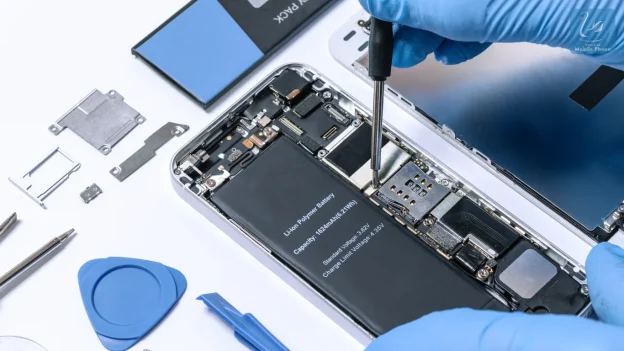
Being aware of what happens during a battery replacement can help you feel more confident when handing over your iPhone for repair. The technician begins by carefully opening the phone and disconnecting the necessary internal components. They then remove the old battery using special tools, taking great care not to cause any damage, as the battery is firmly glued in place and the phone’s interior is very compact.
After removing the old battery, the technician fits a new one, reconnects the internal parts, and tests the phone to make sure everything is working properly. They also check for any damage caused by battery swelling or wear and fix these problems before closing the device. This careful process helps return your iPhone in better condition, with improved battery life and reliability.
After the replacement, the phone is usually charged and monitored to confirm that it’s holding power and reporting accurate battery health. If the repair shop is thorough, they may also clean your device and give advice on how to maintain the new battery. Understanding each stage of the process allows you to set realistic expectations and choose a provider that values transparency and proper technique.
Avoiding DIY Battery Replacement Risks
Trying to replace your iPhone battery yourself might seem cheaper or easier, but it can be risky. The inside of an iPhone is very delicate and tightly packed, so one small mistake could break important parts like the screen or main board. Without the right tools and know-how, you might cause more damage, which could cost you more to fix later.
There is also a safety risk with the battery because lithium-ion cells can be dangerous if they are damaged or handled the wrong way. Many batteries have caught fire or swollen up when replaced badly, especially when cheap tools or fake parts are used. This can be dangerous for your phone, your safety, and the environment.
Professional technicians are trained to avoid these errors and follow procedures that protect both your device and the person carrying out the work. Attempting to replace the battery without proper training, workspace, and tools is not worth the risk, especially when qualified services are readily available. Leaving the job to experts ensures a reliable result and helps maintain your iPhone’s integrity.
Ensuring Warranty and Service Guarantees
A quality repair service should always offer some form of warranty or guarantee on the battery and the repair work itself. This is a sign of confidence in their service and a way to protect your investment in case something goes wrong after the replacement. Warranties typically cover battery defects and workmanship issues for a set period, often ranging from 90 days to a full year, depending on the provider.
Before proceeding with the replacement, inquire about the warranty terms and the situations that are covered or excluded. A reputable provider will have no problem explaining their policy and putting it in writing for your peace of mind. Having a warranty not only gives you legal protection but also reassures you that you won’t be left with additional costs if something is faulty.
Service guarantees are another way to judge the professionalism and reliability of a repair provider. Businesses that care about customer satisfaction will prioritise quality and stand by their work, even offering follow-up support or advice if needed. By choosing a provider with solid warranty support, you ensure your battery replacement is not just a quick fix, but a long-term solution.
Maintaining Battery Health After Replacement
Once your battery has been replaced, taking good care of it will help it last as long as possible. Avoid letting the battery run out of power completely, and keep your phone away from extremely hot or cold environments, as this can damage the battery cells. Charging your iPhone when it reaches about 20 per cent and unplugging it around 80 to 90 per cent will help maintain the battery’s health over time.
Another good practice is to use certified charging accessories and avoid fast chargers unless they are specifically recommended for your model. Cheap or incompatible chargers can damage your battery or cause your phone to heat up, leading to long-term damage.
Trust the Experts for a Smooth Battery Replacement
Replacing your iPhone battery on time helps your phone work properly and stops issues like sudden shutdowns, slow performance, or overheating. Letting trained professionals handle the job means fewer mistakes, as they use the right tools and take proper care of your device. White Swan Mobile Phone provides reliable battery replacement with skilled technicians and quality parts to get your phone working smoothly again.
Relying on a service that values quality prevents problems caused by low-grade components or rushed, untrained work. A well-executed iPhone battery replacement provides longer battery life, stable performance, and enhanced day-to-day usability for your device. Giving your phone the attention it needs through expert support helps it feel refreshed and ready for long-term use.
Many people believe that placing a wet phone in rice is a simple fix for water damage. This idea has spread widely and is often seen as a quick solution to save a soaked device. However, modern phones like Oppo models have internal components that require more careful attention. Simply leaving the phone in rice might delay proper repairs and allow moisture to cause more harm inside the device.
Rice can absorb surface moisture, but it cannot reach the internal areas where damage happens. As a result, problems may stay hidden and worsen over time. Oppo phones are built with complex parts that respond better to professional cleaning and repairs. If you notice any unusual signs after your phone has been exposed to water or other issues arise, it is best to get expert help rather than relying on rice. This blog outlines 10 clear signs that show when it is time to skip the rice and visit a trusted phone repair shop instead.
1. Phone Will Not Turn On After Getting Wet
If your Oppo phone refuses to switch on even after drying, it suggests there might be internal damage. The power button may respond, but the screen remains black or the phone makes no sound. This can be caused by water affecting the battery or circuits inside. Rice cannot repair this kind of damage, and only a technician can perform a proper diagnosis.
Professional repair shops have the tools to open your phone safely, dry internal parts, and replace damaged components if needed. Leaving the phone switched off for too long could cause corrosion to spread, leading to more serious problems. If the phone does not power on soon after getting wet, it is a clear sign to visit Oppo phone repair experts without delay.
2. Touch Screen Stops Responding
One of the common problems after water exposure is the screen becoming unresponsive. If your finger touches the screen but the phone does not react or the display freezes, this points to potential water damage or faulty connections. Sometimes the screen may respond intermittently or show erratic behaviour. This situation requires professional inspection.
A repair technician can test the screen’s touch sensors and the circuits that control them. In many cases, parts like the digitiser or connectors need replacement. Attempting to fix this by drying with rice will not solve the root cause. A fast and thorough check can prevent permanent damage and restore normal screen function.
3. Charger Port Feels Loose or Will Not Charge
If your Oppo phone’s charging port feels loose or the device will not charge properly, it may indicate damage to the port itself. Water or dirt can cause corrosion or block connections, which rice cannot remove. Sometimes the port may look fine from the outside, but it has internal issues that stop charging.
Repair professionals can clean, repair, or replace the charging port. Using rice will not fix electrical connections or looseness caused by damage. If you experience problems charging your phone or notice that the charger does not fit snugly, seek expert help to avoid worsening the condition.
4. Camera Becomes Blurry or Cloudy
When water enters the camera lens area, it often causes a foggy or cloudy effect in your photos. This is a sign that moisture is trapped inside the lens or near the sensor. Rice may dry surface moisture, but it cannot remove dampness from inside the camera assembly. Leaving moisture trapped can cause permanent damage to image quality.
A professional repair service can safely open and dry the camera area. They also clean the lens and replace any damaged seals to prevent future issues. If your photos appear hazy or unclear after a spill, this is a clear signal that your Oppo phone needs a professional camera check.
5. Sound Is Low, Muffled or Gone
Poor sound quality, muffled voices, or no sound from your Oppo phone after water exposure are signs of speaker or microphone damage. These small components are delicate and can malfunction when wet. Rice cannot fix the electrical parts inside speakers or microphones, and ignoring these problems may affect calls and media playback.
Repair technicians can test sound components and replace faulty parts. They have the expertise to clean speaker grills and protect the internal circuits. If you notice any drop in sound quality or missing audio, it is better to have your phone inspected rather than relying on rice drying methods.
6. Apps Keep Crashing or Phone Slows Down
After water damage, software issues can appear as well. Apps might crash frequently, or your Oppo phone could slow down significantly. These symptoms may indicate hardware problems like a damaged processor or memory issues caused by moisture. Sometimes water causes corruption of system files, which also affects performance.
A repair shop can run a full diagnostic to identify hardware or software faults. They can reset, repair, or reinstall the system safely. Rice drying does not address internal electronic or software faults, so if your phone behaves abnormally, it is time to seek professional assistance.
7. Phone Gets Hot When Charging or In Use
If your phone becomes unusually warm while charging or during normal use, this could indicate battery problems or damaged internal components. Overheating is dangerous and might cause further damage to the battery or phone circuits. Moisture or corrosion can worsen these issues. Rice does not fix overheating or battery faults.
Technicians can test your battery and internal circuits to find the cause. They can replace faulty batteries and fix damaged parts before the issue escalates. Overheating is a serious warning sign that your Oppo phone needs expert care as soon as possible.
8. System Shows Warnings or Alerts
Unexpected warning messages, error pop-ups, or system alerts after your phone has been exposed to water are signs that something is wrong. Moisture can cause sensors or software components to malfunction, triggering these alerts. Some errors may prevent you from using important features safely.
Only a professional repair service can run a thorough scan, identify the cause, and reset or repair the system properly. Ignoring warnings can lead to permanent data loss or hardware damage. If your phone displays unusual system messages, it is best to visit Oppo phone repair specialists for proper treatment.
9. Buttons Are Stuck or Do Not Work
Water can affect physical buttons like power, volume, or home keys on your Oppo phone. When these buttons become stuck, unresponsive, or difficult to press, it usually means that moisture or dirt is blocking their mechanisms. Rice drying cannot fix physical damage or stuck buttons.
Repair experts can open the phone and clean or replace faulty buttons. This restores full functionality and prevents further damage. If you find that your buttons are no longer working as expected after water exposure, visiting a professional is the safest option.
10. Rice Did Not Work and the Problem Remains
If you have already tried the rice method and your Oppo phone still shows signs of damage or malfunctions, it is time to stop waiting. Continuing to rely on rice drying only prolongs the problem and risks permanent damage. Some issues will not improve without professional repair.
Visiting a trusted Oppo phone repair shop ensures that trained technicians handle your device properly. They can diagnose the real problems, offer quick repairs, and prevent small faults from becoming larger ones. If rice has not fixed your phone, a visit to the experts is the best step forward.
Trust Experts for Reliable Phone Fixes
Attempting to fix an Oppo phone using rice often leads to delays in addressing the actual problem and may allow damage to worsen inside the device. Modern smartphones require specialised care to properly diagnose and repair issues such as water damage, charging faults, or unresponsive screens. Ignoring these signs or relying on DIY methods like rice can result in costly repairs or the need for a full replacement later on.
White Swan Mobile Phone provides professional Oppo repair services that focus on accurate diagnosis and effective solutions. Prompt attention to warning signs helps protect the phone and important data, ensuring reliable performance over time. When problems appear, visiting a trusted repair centre is the best way to restore the phone safely and avoid further issues.
Owning an iPhone offers a smooth experience, but battery issues can quickly become frustrating. A common problem for many iPhone users, particularly those with devices a few years old, is battery degradation. Over time, iPhone batteries lose their ability to retain charge, leading to rapid battery drain, slower performance, and unexpected shutdowns.
After a few years of use, iPhone batteries naturally show signs of wear that significantly affect daily usage. Tasks like streaming, gaming, or browsing, which were once smooth, become sluggish and disruptive. As battery health declines, these issues worsen, impacting how the device performs.
Replacing an iPhone battery is a simple solution that can restore full performance and extend the device’s lifespan. A new battery can eliminate many common issues, including faster charging and improved overall functionality. In this post, we’ll explore how to determine when it’s time for a battery replacement and why it matters for optimal performance.
What is iPhone Battery Replacement?
iPhone battery replacement involves swapping out the old, worn battery for a new one. As an iPhone age, battery performance naturally declines due to frequent charging and discharging. Over time, charging cycles take their toll, diminishing the battery’s ability to hold a charge.
Batteries have a limited lifespan, often determined by how many charge cycles they undergo. Each cycle represents charging from 0% to 100%, gradually reducing the battery’s maximum capacity. Once capacity decreases, users may notice quicker battery drain or even sudden shutdowns, signalling a need for replacement.
Signs Your iPhone Battery Needs Replacing
Is your iPhone battery not performing like it used to? Here are some common signs that indicate it may be time for a replacement:
Rapid Battery Drain
One of the clearest signs that your iPhone battery needs replacing is when it drains much quicker than usual. If you’re not using any power-hungry apps or features, but your battery still seems to run out faster, it could be a sign of a degraded battery. In this case, replacing the battery will restore the phone’s ability to hold a charge for a longer period.
If you notice your iPhone’s battery draining within just a few hours of a full charge, it’s a clear indication of wear. A fully charged iPhone should normally last a full day with typical use, but a weakened battery significantly reduces this. Getting a replacement battery can help resolve the issue and restore normal usage in these situations.
Unexpected Shutdowns
Unexpected shutdowns are another common sign that your iPhone’s battery is failing. When your battery’s capacity diminishes, it often struggles to provide the necessary power, causing the phone to turn off without warning. Even if the battery seems to have charge left, this sudden shutdown indicates it’s time for a replacement.
This issue becomes especially noticeable when your iPhone turns off during regular activities, such as browsing or texting. The phone’s battery might be unable to supply enough energy to maintain its operation. Replacing the battery will ensure the phone can continue working without unexpected interruptions.
Overheating
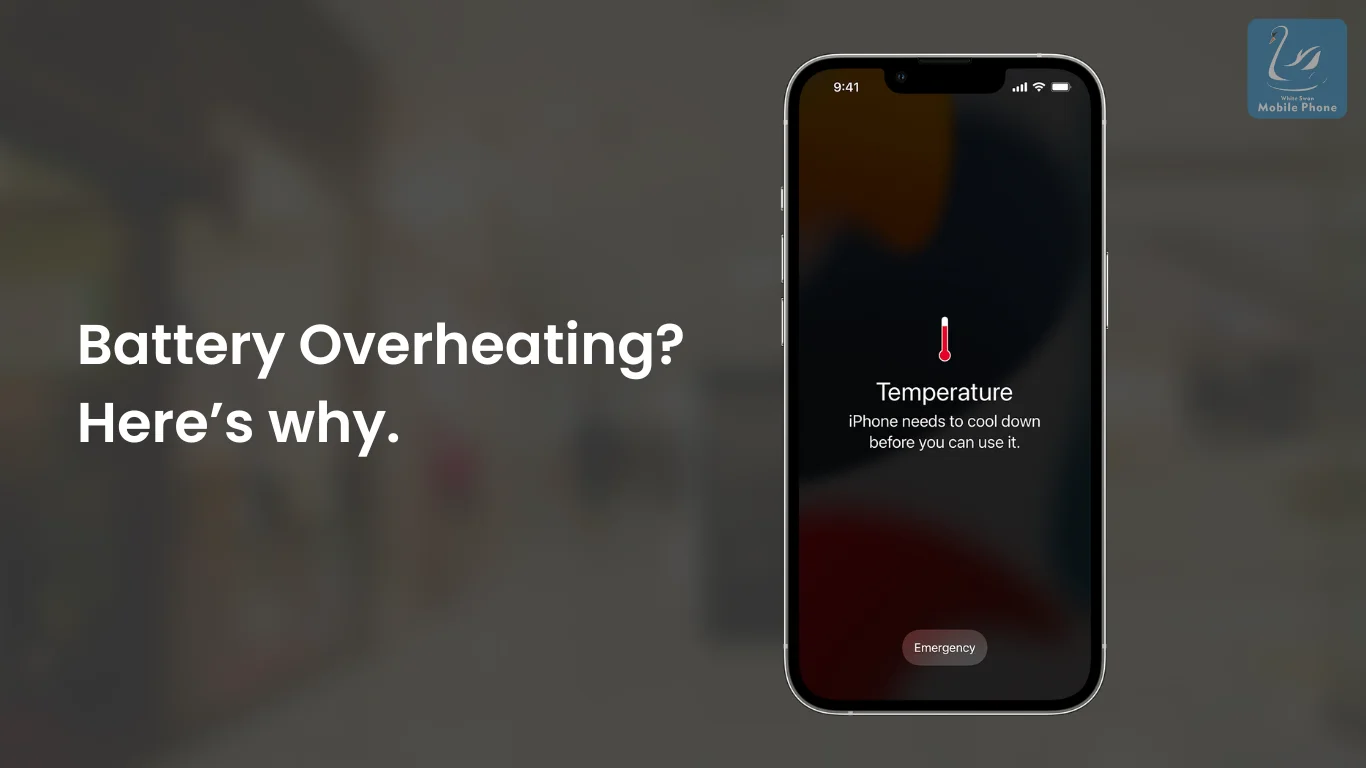
An iPhone that becomes unusually hot could be another sign of battery issues. A degraded battery may overheat as it struggles to meet the phone’s power demands, leading to performance slowdowns. If your iPhone feels warm or hot to the touch during regular use or charging, it’s time to consider getting the battery replaced.
Overheating can not only affect your phone’s performance but can also damage other internal components over time. This issue becomes more noticeable with extended use or heavy tasks like gaming or video streaming. Replacing the battery can help prevent further internal damage and restore your device to normal temperatures.
Charging Issues
If you notice that your iPhone takes longer than usual to charge or doesn’t charge fully, it may be due to a failing battery. As batteries degrade, they struggle to hold a charge or charge efficiently, leading to longer charging times. In these cases, it’s worth considering a battery replacement to restore the device’s normal charging speed.
In some cases, the phone may not charge at all despite being plugged in. This can happen when the battery no longer accepts or stores energy properly, causing charging issues. Replacing the battery will resolve this problem, allowing your iPhone to charge properly again.
Benefits of Replacing Your iPhone Battery
Replacing your iPhone battery can restore its original performance and extend its lifespan. When you install a fresh battery, you can expect several immediate benefits:
Improved Longevity
iPhone battery replacement ensures better longevity, allowing your phone to last longer on a single charge. With a new battery, you won’t have to stress about your phone dying halfway through the day. A fresh battery holds its charge more efficiently, enabling you to use your phone throughout the day without constantly searching for a charger.
As a result, you can enjoy more screen time and uninterrupted usage. Long commutes or busy workdays won’t require multiple charging sessions. Replacing your iPhone battery guarantees reliable, all-day performance.
Faster Charging
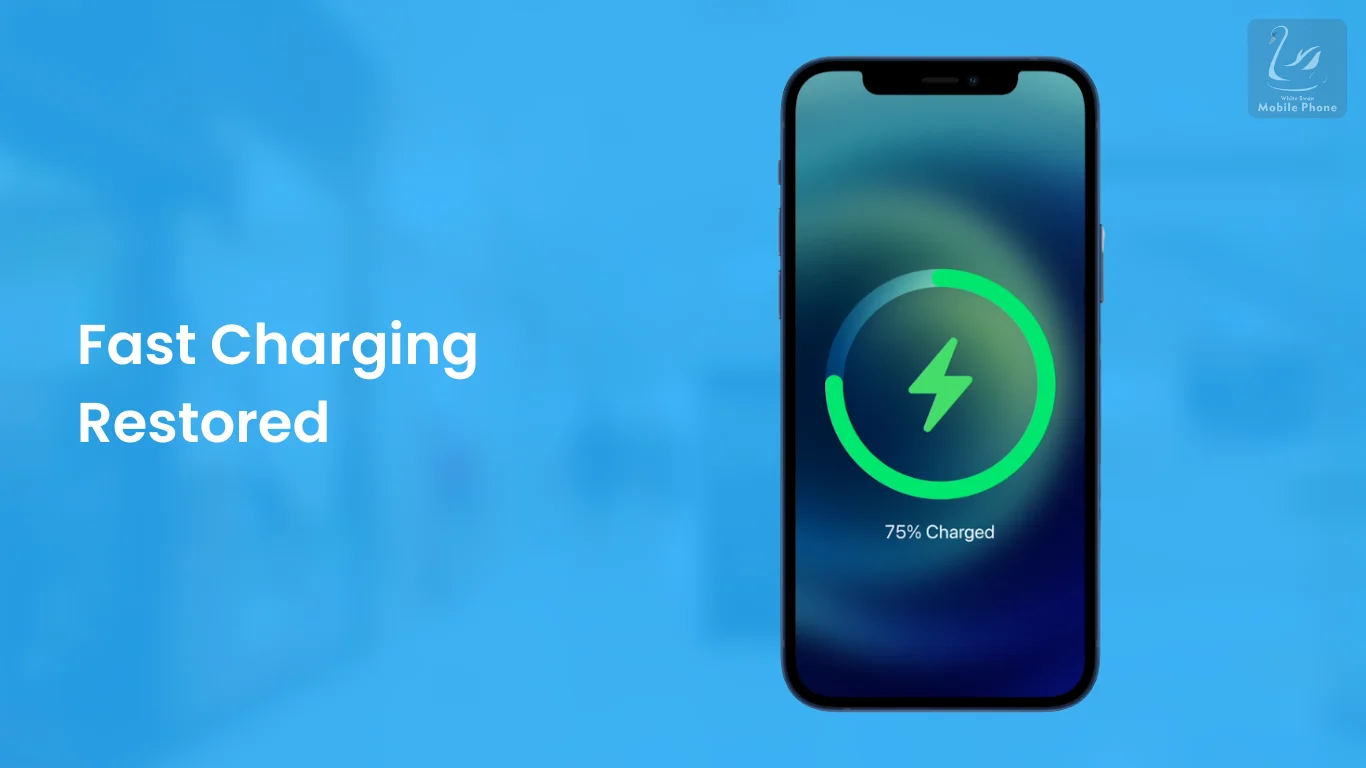
New batteries charge more efficiently, cutting down on the time needed to reach full charge. This is especially useful when you’re in a hurry or need a quick boost before heading out. With an upgraded battery, your device charges quickly and returns to optimal performance.
Charging efficiency improves significantly, allowing your phone to power up more swiftly. In situations where time is tight, a faster charge can be a lifesaver. Replacing your iPhone battery reduces long waits and gets you moving faster.
Restored Performance
One of the main benefits of iPhone battery replacement is restored performance. When a battery degrades, iPhone software might throttle performance to prevent unexpected shutdowns. With a new battery, this limitation is removed, and your phone returns to peak speed and responsiveness.
You’ll notice improvements across the board, from app loading times to multitasking efficiency. Tasks that once caused delays or sluggishness will feel fluid and fast again. Replacing an ageing battery ensures your iPhone operates as it did when first purchased.
No More Unexpected Shutdowns
Replacing your iPhone battery eliminates the risk of unexpected shutdowns. Even when the battery shows charge, a failing battery can cause your phone to shut off abruptly. With a fresh battery, you won’t have to worry about sudden power loss during important calls or tasks.
Reliability improves greatly, ensuring your phone stays powered throughout the day. No more interruptions or frustrations due to unexpected shutdowns. iPhone battery replacement guarantees consistent performance whenever you need it most.
Impact of Battery Health on iPhone Performance
Battery health directly affects iPhone performance, and as the battery degrades, several issues can arise. Older iPhones often experience these problems, but even newer models may face performance slowdowns due to battery wear. Users might encounter lags, freezes, or crashes, making daily use increasingly frustrating.
iPhone battery replacement removes any software throttling, restoring the device to its full potential. With a new battery, performance returns to optimal levels, with no artificial limits on speed. This improvement is particularly noticeable for users who rely on their phones for high-demand activities like gaming or multitasking.
When to Replace Your iPhone Battery
Several factors can influence when it’s time to replace your iPhone battery. Understanding these factors can help determine when your battery may be nearing the end of its life.
Heavy Usage
Constant use of power-hungry apps like games, streaming services, or multitasking across several applications strains your iPhone’s battery. Demanding tasks consistently cause the battery to discharge quicker, resulting in faster wear. This continuous stress leads to noticeable reductions in battery life and device performance.
Intensive usage increases the number of charge cycles, accelerating battery degradation. As the battery’s capacity diminishes, the device may struggle to maintain sufficient power for extended use. Replacing a worn-out battery can restore optimal performance.
Frequent Charging
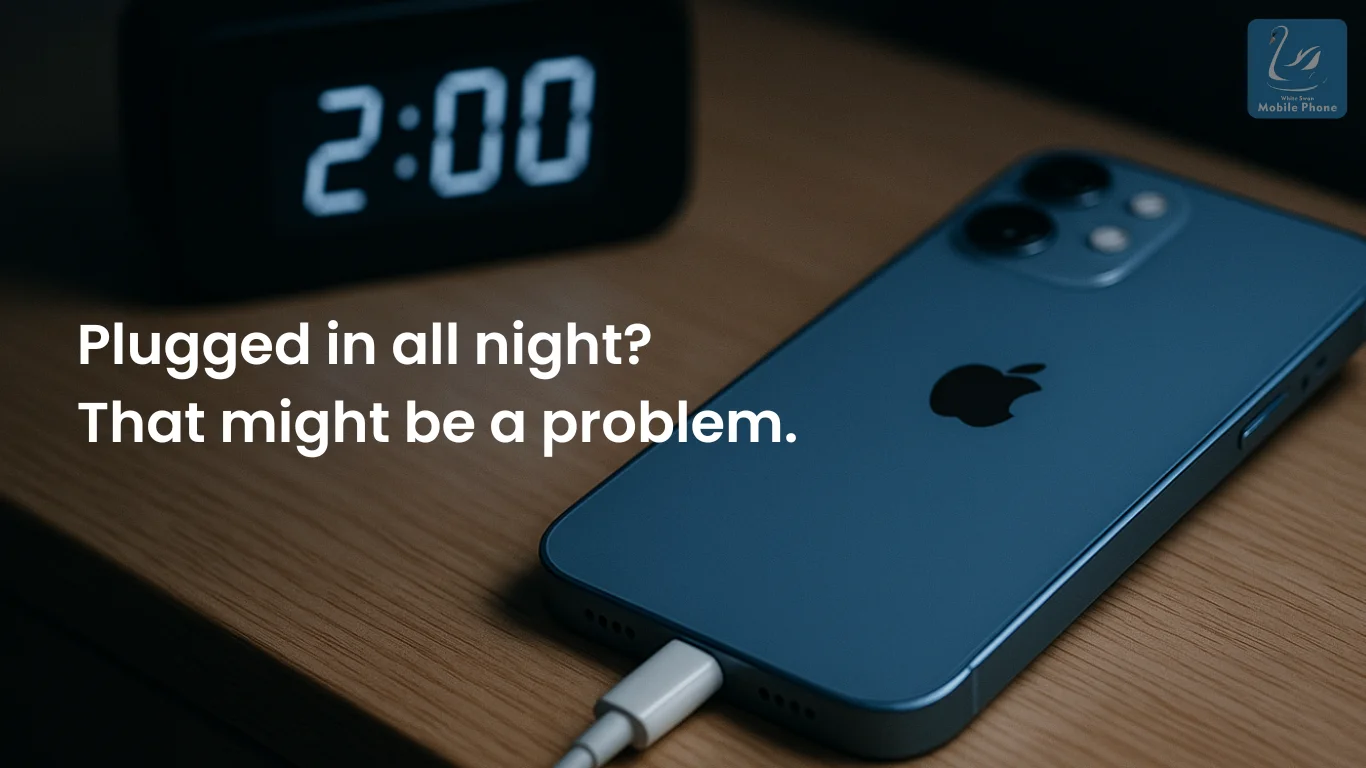
Charging your iPhone multiple times daily or plugging it in overnight can accelerate battery degradation. Multiple charging cycles cause wear, leading to faster loss of capacity. Avoiding overcharging helps prolong battery lifespan and prevent unnecessary damage.
While charging is essential, constant recharging can strain battery health. A battery exposed to frequent cycles can lose its ability to hold a charge effectively. Replacing such a battery ensures better overall performance and longevity.
Extreme Temperatures
Using your iPhone in hot or cold environments can harm its battery health. Exposure to heat accelerates battery degradation, while extreme cold temporarily reduces performance. These conditions contribute to lasting damage, affecting how well the battery can hold a charge.
High and low temperatures stress internal components, affecting efficiency and longevity. Continued exposure to such conditions may shorten battery life. Replacing a battery exposed to these extremes helps maintain peak performance.
Say Goodbye to Battery Issues
iPhone battery replacement offers a powerful fix for common issues like rapid drain, slow operation, and surprise shutdowns. A new battery brings longer usage time, fewer charges, and smoother performance. Peak speed returns without performance throttling getting in the way.
Ignoring battery problems leads to frustration and unreliable use. Replacing a worn-out battery brings new life and steady performance back to your phone. Stay proactive about battery health to enjoy a dependable device every single day.
Owning an iPhone offers a smooth experience, but battery issues can quickly become frustrating. A common problem for many iPhone users, particularly those with devices a few years old, is battery degradation. Over time, iPhone batteries lose their ability to retain charge, leading to rapid battery drain, slower performance, and unexpected shutdowns.
After a few years of use, iPhone batteries naturally show signs of wear that significantly affect daily usage. Tasks like streaming, gaming, or browsing, which were once smooth, become sluggish and disruptive. As battery health declines, these issues worsen, impacting how the device performs.
Replacing an iPhone battery is a simple solution that can restore full performance and extend the device’s lifespan. A new battery can eliminate many common issues, including faster charging and improved overall functionality. In this post, we’ll explore how to determine when it’s time for a battery replacement and why it matters for optimal performance.
What is iPhone Battery Replacement?
iPhone battery replacement involves swapping out the old, worn battery for a new one. As an iPhone age, battery performance naturally declines due to frequent charging and discharging. Over time, charging cycles take their toll, diminishing the battery’s ability to hold a charge.
Batteries have a limited lifespan, often determined by how many charge cycles they undergo. Each cycle represents charging from 0% to 100%, gradually reducing the battery’s maximum capacity. Once capacity decreases, users may notice quicker battery drain or even sudden shutdowns, signalling a need for replacement.
Signs Your iPhone Battery Needs Replacing
Is your iPhone battery not performing like it used to? Here are some common signs that indicate it may be time for a replacement:
Rapid Battery Drain
One of the clearest signs that your iPhone battery needs replacing is when it drains much quicker than usual. If you’re not using any power-hungry apps or features, but your battery still seems to run out faster, it could be a sign of a degraded battery. In this case, replacing the battery will restore the phone’s ability to hold a charge for a longer period.
If you notice your iPhone’s battery draining within just a few hours of a full charge, it’s a clear indication of wear. A fully charged iPhone should normally last a full day with typical use, but a weakened battery significantly reduces this. Getting a replacement battery can help resolve the issue and restore normal usage in these situations.
Unexpected Shutdowns
Unexpected shutdowns are another common sign that your iPhone’s battery is failing. When your battery’s capacity diminishes, it often struggles to provide the necessary power, causing the phone to turn off without warning. Even if the battery seems to have charge left, this sudden shutdown indicates it’s time for a replacement.
This issue becomes especially noticeable when your iPhone turns off during regular activities, such as browsing or texting. The phone’s battery might be unable to supply enough energy to maintain its operation. Replacing the battery will ensure the phone can continue working without unexpected interruptions.
Overheating
An iPhone that becomes unusually hot could be another sign of battery issues. A degraded battery may overheat as it struggles to meet the phone’s power demands, leading to performance slowdowns. If your iPhone feels warm or hot to the touch during regular use or charging, it’s time to consider getting the battery replaced.
Overheating can not only affect your phone’s performance but can also damage other internal components over time. This issue becomes more noticeable with extended use or heavy tasks like gaming or video streaming. Replacing the battery can help prevent further internal damage and restore your device to normal temperatures.
Charging Issues
If you notice that your iPhone takes longer than usual to charge or doesn’t charge fully, it may be due to a failing battery. As batteries degrade, they struggle to hold a charge or charge efficiently, leading to longer charging times. In these cases, it’s worth considering a battery replacement to restore the device’s normal charging speed.
In some cases, the phone may not charge at all despite being plugged in. This can happen when the battery no longer accepts or stores energy properly, causing charging issues. Replacing the battery will resolve this problem, allowing your iPhone to charge properly again.
Benefits of Replacing Your iPhone Battery
Replacing your iPhone battery can restore its original performance and extend its lifespan. When you install a fresh battery, you can expect several immediate benefits:
Improved Longevity
iPhone battery replacement ensures better longevity, allowing your phone to last longer on a single charge. With a new battery, you won’t have to stress about your phone dying halfway through the day. A fresh battery holds its charge more efficiently, enabling you to use your phone throughout the day without constantly searching for a charger.
As a result, you can enjoy more screen time and uninterrupted usage. Long commutes or busy workdays won’t require multiple charging sessions. Replacing your iPhone battery guarantees reliable, all-day performance.
Faster Charging
New batteries charge more efficiently, cutting down on the time needed to reach full charge. This is especially useful when you’re in a hurry or need a quick boost before heading out. With an upgraded battery, your device charges quickly and returns to optimal performance.
Charging efficiency improves significantly, allowing your phone to power up more swiftly. In situations where time is tight, a faster charge can be a lifesaver. Replacing your iPhone battery reduces long waits and gets you moving faster.
Restored Performance
One of the main benefits of iPhone battery replacement is restored performance. When a battery degrades, iPhone software might throttle performance to prevent unexpected shutdowns. With a new battery, this limitation is removed, and your phone returns to peak speed and responsiveness.
You’ll notice improvements across the board, from app loading times to multitasking efficiency. Tasks that once caused delays or sluggishness will feel fluid and fast again. Replacing an ageing battery ensures your iPhone operates as it did when first purchased.
No More Unexpected Shutdowns
Replacing your iPhone battery eliminates the risk of unexpected shutdowns. Even when the battery shows charge, a failing battery can cause your phone to shut off abruptly. With a fresh battery, you won’t have to worry about sudden power loss during important calls or tasks.
Reliability improves greatly, ensuring your phone stays powered throughout the day. No more interruptions or frustrations due to unexpected shutdowns. iPhone battery replacement guarantees consistent performance whenever you need it most.
Impact of Battery Health on iPhone Performance
Battery health directly affects iPhone performance, and as the battery degrades, several issues can arise. Older iPhones often experience these problems, but even newer models may face performance slowdowns due to battery wear. Users might encounter lags, freezes, or crashes, making daily use increasingly frustrating.
iPhone battery replacement removes any software throttling, restoring the device to its full potential. With a new battery, performance returns to optimal levels, with no artificial limits on speed. This improvement is particularly noticeable for users who rely on their phones for high-demand activities like gaming or multitasking.
When to Replace Your iPhone Battery
Several factors can influence when it’s time to replace your iPhone battery. Understanding these factors can help determine when your battery may be nearing the end of its life.
Heavy Usage
Constant use of power-hungry apps like games, streaming services, or multitasking across several applications strains your iPhone’s battery. Demanding tasks consistently cause the battery to discharge quicker, resulting in faster wear. This continuous stress leads to noticeable reductions in battery life and device performance.
Intensive usage increases the number of charge cycles, accelerating battery degradation. As the battery’s capacity diminishes, the device may struggle to maintain sufficient power for extended use. Replacing a worn-out battery can restore optimal performance.
Frequent Charging
Charging your iPhone multiple times daily or plugging it in overnight can accelerate battery degradation. Multiple charging cycles cause wear, leading to faster loss of capacity. Avoiding overcharging helps prolong battery lifespan and prevent unnecessary damage.
While charging is essential, constant recharging can strain battery health. A battery exposed to frequent cycles can lose its ability to hold a charge effectively. Replacing such a battery ensures better overall performance and longevity.
Extreme Temperatures
Using your iPhone in hot or cold environments can harm its battery health. Exposure to heat accelerates battery degradation, while extreme cold temporarily reduces performance. These conditions contribute to lasting damage, affecting how well the battery can hold a charge.
High and low temperatures stress internal components, affecting efficiency and longevity. Continued exposure to such conditions may shorten battery life. Replacing a battery exposed to these extremes helps maintain peak performance.
Say Goodbye to Battery Issues
iPhone battery replacement offers a powerful fix for common issues like rapid drain, slow operation, and surprise shutdowns. A new battery brings longer usage time, fewer charges, and smoother performance. Peak speed returns without performance throttling getting in the way.
Ignoring battery problems leads to frustration and unreliable use. Replacing a worn-out battery brings new life and steady performance back to your phone. Stay proactive about battery health to enjoy a dependable device every single day.
In the age of smartphones, our phones hold more than just our contacts and text messages. They are digital vaults that store everything from personal photos to sensitive banking details. So, when your iPhone gets damaged, be it a cracked screen, battery replacement, or any other issue, it’s natural to feel uneasy about handing it over to a repair shop.
You want your device fixed, but you also want your privacy intact. The risks of choosing the wrong phone repair service are real – privacy breaches, poor-quality repairs, and even hidden fees. With so much personal data at stake, it’s essential to know how to pick a trusted repair service in Auckland that will treat both your phone and your privacy with respect.
In this guide, we’ll walk you through everything you need to know about choosing a reliable phone repair shop, protecting your data, and deciding if repairing or replacing your iPhone is the best option.
Is It Safe to Hand Over Your Phone for Repair?
Let’s face it: handing your phone over to someone else can feel like you’re risking your most valuable asset. And it’s true—if you choose the wrong repair shop, the consequences can be financially and personally costly. But it’s not all doom and gloom.
The safety of your phone during repairs largely depends on where you take it. Here’s a breakdown of what makes a repair shop trustworthy versus unreliable:
What Makes a Repair Shop Reliable?
Reputation: Look for a shop with positive customer reviews and recommendations. Word of mouth is still one of the best indicators of reliability.
Certified Technicians: Reputable shops hire certified technicians with proper training and experience to handle iPhones.
Clear Communication: A good repair shop should be upfront about pricing, the time required for repairs, and any potential risks.
Use of Genuine Parts: Always ask if the shop uses original or high-quality parts. You don’t want cheap replacements that could damage your phone further.
On the other hand, unreliable repair shops can leave you vulnerable to privacy breaches, poor-quality repairs, and even hidden fees. Keep reading to understand what you can do to protect yourself before handing your phone over.
Do Phone Repair Shops Access Your Photos or Private Data?
One of the most common concerns people have when getting their iPhone repaired is whether the technician will access their personal data. After all, we store so much sensitive information on our phones. So, is it safe to let someone else handle your device?
Ethical Repair Technicians vs. Unethical Ones
Choosing the right technician is key to protecting your data. Here’s how to spot the difference between ethical and unethical repair practices.
Ethical Technicians
A professional repair technician knows the importance of respecting your privacy. They should only access your phone when it’s absolutely necessary for the repair and always ask for your permission before looking at any of your personal data. This ensures your privacy is protected throughout the process.
Unethical Technicians
Unfortunately, not all repair shops are as careful. Some technicians may be less considerate of your data, asking for unnecessary access to things like your photos, emails, or passwords. If you encounter this, it’s a major red flag, as mishandling your information could lead to privacy issues or worse.
Signs That a Shop Might Violate Your Privacy
Asking for passwords without clear justification.
Not offering a privacy or data security policy.
A lack of transparency about how your data will be handled during the repair.
Offering services that seem too good to be true could indicate a lack of professionalism or a scam.
Knowing how to spot these red flags can save you a lot of stress and potential damage to your privacy.
Steps to Safeguard Your Privacy Before Handing Over Your Phone
You don’t have to hand your phone over to a technician unprepared. There are several steps you can take to secure your phone and protect your privacy, ensuring that you keep control of your personal data.
1. Back Up Your Important Data
Before handing your phone in for any repairs, it’s crucial to back up all your important data. Whether you use iCloud, iTunes, or any other cloud service, make sure everything from photos to contacts is stored safely.
2. Log Out of Accounts
For added security, log out of all accounts on your phone. This includes your email, social media accounts, and online banking. This simple step can help keep your private information protected.
3. Disable Notifications
Many apps send notifications that could pop up while the phone is being worked on. It’s a good idea to turn these off or even enable the ‘Do Not Disturb’ mode.
4. Remove Sensitive Apps
If you have any apps that store sensitive information, such as banking apps, password managers, or health-related apps, consider removing them temporarily. This way, even if your phone is accessed, no one will have access to your sensitive data.
While Apple doesn’t have a specific “repair mode,” some third-party apps or services may offer a way to protect your data while your phone is being repaired. Make sure to ask the shop if they have any recommended ways to secure your phone during repairs.
Repair vs. Replace: Making the Right Choice for Your iPhone
Sometimes, you might wonder if it’s better to repair your phone or replace it entirely. After all, getting a new device might seem like the easier option—especially if your phone’s damaged beyond repair. But before you jump to conclusions, let’s explore the factors that will help you make the best decision.
1. Cost Comparison
Repairing: Depending on the damage, repairing your phone can be much cheaper than buying a new one. Common repairs like cracked screens or battery replacements usually cost far less than purchasing a brand-new iPhone.
Replacing: If the cost of repair is close to or exceeds the price of a new phone, it might make more sense to replace the device.
2. Extent of Damage
Minor Damage: If your phone has a cracked screen or a dead battery, it’s usually worth repairing. These are fairly simple fixes that can breathe new life into your phone.
Major Damage: If the damage is more severe, such as a motherboard failure or water damage, repairs might not be worthwhile. In these cases, replacing the phone might be a better investment.
3. Longevity of the Phone
Older iPhone models may no longer receive software updates after a certain point, and this can make repairs less effective. If you’re repairing an outdated model, it’s important to consider how long the phone will continue to be supported by Apple.
Finding Trustworthy Phone Repair Services: Key Factors to Consider
Choosing a reputable phone repair shop isn’t just about finding someone who can fix your phone. It’s about finding a service that respects your privacy and provides high-quality, long-lasting repairs.
Key Factors to Look For
When searching for a trustworthy repair service, certain factors can help you make the right choice. Here’s what to keep in mind:
Experience and Reputation
A good repair shop should have a solid reputation and a history of satisfied customers. Positive reviews are a strong sign that they know what they’re doing and offer reliable service.
Use of Genuine Parts
Always confirm if the shop uses genuine parts for repairs. While cheaper alternatives might save a little money, they could cause problems down the line, such as poor performance or further damage.
Transparent Pricing
Be cautious if a shop doesn’t provide clear pricing or estimates upfront. A professional repair service will always offer a transparent quote so you know exactly what you’re paying for before the repair begins.
Warranty on Repairs
A trusted repair service will stand behind its work and offer a warranty. This shows they’re confident in the quality of their repairs and ensures you’re covered if something goes wrong later.
Avoid These Red Flags
Hidden Fees: If the shop doesn’t give clear pricing upfront or adds on unexpected fees afterward, it’s a sign that they’re not transparent.
Requests for Unnecessary Access: If a repair shop asks for access to unnecessary apps or accounts, it’s a huge red flag.
Low-Quality Parts: Extremely cheap repairs could indicate the use of counterfeit or subpar parts that will fail sooner than expected.
Prioritising Trust, Privacy, and Quality in Repairs
When it comes to getting your phone repaired, the last thing you want is to hand over your device to a shop that doesn’t respect your privacy or provide quality repairs. Prioritise trust, privacy, and professionalism when choosing a repair service.
By taking the steps we’ve outlined in this guide, you can confidently hand over your iPhone for repairs without worrying about the safety of your personal data. Remember, always back up your information, ask the right questions, and choose a shop that values both your privacy and your phone’s longevity.
Whether you’re in need of a simple phone screen repair or a more complex fix, choosing the right repair service will ensure your phone is in good hands—and that your data remains secure.
Electronic waste (e-waste) has become a pressing global issue, with millions of tonnes generated each year as discarded devices accumulate in landfills. Mobile phones play a significant role in this problem due to their widespread use and short lifespan.
Improper disposal of old phones contributes to environmental damage. It can release substances like lead and mercury into the soil and water. So, repairing mobile phones then offers a practical and eco-friendly solution to this growing issue.
What is Mobile Phone Repair?
Mobile phone repair involves restoring a device’s functionality, whether a cracked screen or a failing battery. It covers a range of services tailored to address specific issues:
Screen Repair
Damaged screens are among the most common problems for mobile phones. Repairing a screen restores the device’s visual clarity and functionality.
Battery Replacement
Over time, phone batteries lose their ability to hold a charge. Replacing a worn-out battery extends the device’s usability.
Water Damage Fixes
Accidental exposure to water or other liquids can disrupt a phone’s internal components. Repair services often include cleaning and replacing damaged parts to restore the device.
Alarming E-Waste Statistics
Globally, e-waste levels are increasing at an alarming rate. According to estimates, over 50 million tonnes of e-waste are generated each year, with less than 20% being recycled.
In New Zealand alone, the issue is concerning. Many outdated devices end up in landfills instead of being recycled or reused.
Environmental Benefits of Mobile Phone Repairs
Mobile phone repair is critical in environmental preservation. It provides several key benefits:
Waste Reduction
Repairing devices decreases the number of phones discarded annually, which helps alleviate the growing pressure on landfills. By extending the functional lifespan of phones, repairs reduce the amount of electronic waste generated each year.
Resource Conservation
Repairing phones reduces the demand for new devices. Thus, conserving valuable raw materials like gold, copper, and rare earth metals.
Extracting these materials often involves environmentally destructive mining practices that deplete finite resources and disrupt ecosystems.
Carbon Footprint Reduction
Manufacturing phones generates greenhouse gas emissions due to energy-intensive processes. On the other hand, repairs require significantly fewer resources and energy.
Individuals help reduce the overall carbon emissions associated with the electronics industry by opting for repair over replacement. Auckland’s repair industry actively supports these goals by offering accessible and affordable services that make it easier for residents to extend the life of their devices.
E-Waste: The Hidden Environmental Toll of Mobile Phones
E-waste poses a threat to the environment due to the hazardous materials in electronic devices. Mobile phones contribute to this issue because of their ubiquity. Common toxins include:
Lead and Mercury
These substances can leach into the soil and water, contaminating ecosystems and harming wildlife. They are commonly found in older electronics and pose significant ecological risks when devices are improperly discarded.
Cadmium and Arsenic
Found in batteries and circuit boards, these elements pose health risks to humans and animals alike. Exposure can occur when devices break down in landfills or during unsafe recycling processes.
The Role of Repairs in Combating E-Waste
Repairing mobile phones in Auckland offers a simple way to diminish this growing problem. Choosing repair services reduces the number of devices discarded annually and keeps valuable components in circulation.
This addresses local e-waste challenges and contributes to global efforts to minimise the environmental impact of technology.
Repair vs Replace: Why Kiwis Should Choose the Greener Option
While upgrading to a newer model might seem appealing, the environmental consequences are substantial. Manufacturing a smartphone involves:
Resource Extraction: Mining for materials like gold, cobalt, and lithium.
Energy Consumption: Producing a single phone requires large amounts of water and energy.
In contrast, repairing a phone is a far more sustainable option. It requires fewer resources and generates significantly less waste.
Opting for repair saves money and supports environmental sustainability. While a typical repair might cost around NZD $300, a new phone can cost upwards of NZD $1,500.
Repairing a device instead of replacing it is a practical decision and a commitment to protecting the planet.
How Mobile Phone Repairs Contribute to a Circular Economy
A circular economy is an innovative approach that seeks to minimise waste and maximise resources by keeping products and materials in use for as long as possible.
Mobile phone repairs align perfectly with this model, offering several environmental and economic advantages:
Extending Device Lifespan
Repairs keep phones functional and in circulation, ensuring they remain usable for years beyond their expected lifespan.
This not only helps users get more value out of their investment but also reduces the frequency of replacement purchases, which are resource-intensive.
Reducing Waste
Repairing devices prevents them from being prematurely discarded, keeping them out of landfills. By extending the lifecycle of phones, repair practices significantly reduce the volume of electronic waste generated annually.
Promoting Resource Efficiency
Repairs save valuable materials like gold, copper, and rare earth metals. Repair services reduce the demand for these resources, supporting sustainable use and minimising ecological damage.
Do Your Part: Repair Your Mobile Phone
Repairing your mobile device is not just a practical decision; it’s an investment in the health of our planet. Mobile phone repairs represent a simple yet powerful way to address the growing problem of e-waste.
Repairing devices reduce waste and support the local economy. Reliable services like White Swan Mobile Phone Repairs make it easier than ever to extend the life of your phone while contributing to a cleaner, greener future.
Help reduce e-waste and make a difference! Choose White Swan Mobile Phone Repairs for eco-friendly, affordable mobile phone repair in Auckland. Contact us today to repair your device and protect the planet!
Frequently Asked Questions About Mobile Phone Repair in Auckland
What Happens to My Phone if I Don’t Repair It?
Phones that are not repaired often end up in landfills, contributing to the growing problem of e-waste. These devices contain materials that can release harmful toxins into the environment, leading to long-term ecological damage.
Can Old or Damaged Phones Still Be Repaired?
In many cases, yes. Professional repair services can often fix issues like cracked screens or battery problems. Even devices with significant damage can be refurbished.
How Does Repairing a Phone Reduce Its Environmental Impact?
Repairing a phone extends its lifespan. This helps conserve resources and reduce manufacturing-related emissions.
Smartphones are a part of everyday life. They help with work, social connections, and entertainment. When a phone breaks, it’s frustrating and inconvenient. Buying a new device is expensive, but a repair can often restore it for much less. The challenge is finding fast, reliable, affordable iPhone repair in Auckland. A professional service can fix common issues quickly, getting the phone back to normal without unnecessary costs.
What Does iPhone Repair Include?
iPhones can develop problems over time. The most common issues are cracked screens, battery failures, charging port problems, and water damage. These affect performance and can make a phone difficult to use.
A good mobile phone repair service should offer quick fixes using high-quality parts. Most iPhone screen repair jobs and battery changes take only a few hours. More complex repairs, like motherboard issues, may take longer but should come with clear explanations and fair pricing.
Signs Your iPhone Needs Immediate Attention
Not all phone issues happen suddenly. Some start small but worsen over time. Recognising early warning signs can prevent costly repairs and keep your device working efficiently.
Cracked or Unresponsive Screen
A small crack may seem harmless at first, but it can quickly spread. The more it expands, the harder it becomes to use the touch screen. Over time, cracks can expose the internal components to dust and moisture, leading to more serious damage.
If the screen is slow to respond or has dead spots, this could indicate an underlying issue. A damaged display not only affects usability but can also put strain on the phone’s internal hardware.
Battery Draining Too Fast
A phone that loses power quickly is a clear sign of battery wear. If a fully charged battery lasts only a few hours, a replacement is likely needed.
Another warning sign is the phone shutting down unexpectedly, even when it shows battery life remaining. In some cases, a swollen battery may cause the screen to lift slightly from the frame. This is a serious issue that needs immediate attention to avoid further damage.
Overheating and Performance Issues
iPhones warm up slightly during heavy use, but excessive heat is a sign of a problem. If the phone becomes too hot to hold, the battery or internal components may be failing.
Frequent freezing, lagging, or app crashes can also indicate hardware or software issues. Ignoring these problems can lead to a complete system failure, making the phone unusable.
Charging Problems
If an iPhone only charges at a certain angle or the cable feels loose, the charging port may be damaged. Dust and debris can also block the connection, making it difficult to charge properly.
A phone that refuses to charge or drains battery even when plugged in may have a faulty charging port, battery, or internal wiring problem. These issues should be checked as soon as possible.
Sound and Microphone Malfunctions
If calls sound muffled, distorted, or completely silent, the speakers or microphone may need repair. A faulty speaker can also affect notifications, alarms, and music playback.
Microphone issues can make it difficult for others to hear you during calls or voice recordings. If cleaning the microphone doesn’t fix the problem, a hardware repair might be necessary.
Why Professional Mobile Phone Repairs Are Better Than DIY
DIY repairs seem cheap but often cause more damage. Professionals ensure quality, reliability, and long-term performance.
Risk of Further Damage
iPhones have delicate internal components that can easily break during a DIY repair. Without proper handling, a simple fix like a screen or battery replacement can damage connectors, loosen screws, or cause permanent internal issues. A professional technician understands how to repair these devices safely and efficiently.
Quality of Replacement Parts
Low-quality replacement parts are a common issue with DIY mobile phone repair. Cheap screens may have poor touch response, and bad batteries can drain too fast or overheat. Professional iPhone repair services use high-quality or genuine parts to ensure optimal performance and safety.
Voiding Warranties and Data Loss Risks
Opening an iPhone without proper authorisation can void its warranty, meaning future issues may not be covered by Apple or other providers. DIY iPhone repair also risks data loss if not handled correctly. Professional technicians take necessary precautions to protect warranty coverage and prevent file loss.
Lack of Proper Tools and Experience
Many DIY phone repair guides make the process simple but require specialised tools. Without the right equipment, handling tiny screws, adhesive seals, and fragile connections becomes difficult. Professionals have the right tools and knowledge to complete repairs safely and efficiently.
Professional Repairs Offer Long-Term Solutions
DIY repairs often result in recurring issues, forcing repeated fixes. A low-quality battery replacement, for example, may fail within months. Professional iPhone repair in Auckland ensures lasting performance, reducing the chances of further problems and keeping the device in top condition.
Perks of Free Diagnostics for Mobile Repairs
Many avoid iPhone repair due to cost concerns. A free diagnostic identifies issues upfront, helping customers decide confidently.
Identifying the Problem Without Cost
A phone can stop working for many reasons. A cracked iPhone screen, failing battery, or unresponsive buttons may seem obvious, but internal damage can be harder to detect. Free diagnostics allow technicians to examine the phone thoroughly and find the root cause of the problem.
This process ensures that only necessary repairs are recommended. A slow phone, for example, may not need a battery replacement—it could just require a simple software fix. By diagnosing the issue correctly, unnecessary costs can be avoided.
No Obligation to Proceed with Repairs
One of the biggest advantages of free diagnostics is that there’s no commitment to pay for a repair. Customers can find out what’s wrong with their iPhone before deciding if they want to fix it. If the repair cost is higher than expected, they can choose to look at other options without spending anything.
This service also prevents unnecessary spending. In some cases, minor issues can be fixed with quick adjustments rather than full part replacements. A clear diagnosis ensures that customers pay only for what is needed.
Transparent Pricing and Honest Assessments
Some repair shops charge upfront fees just for checking the device, leading to unexpected costs. A free mobile phone repair diagnostic eliminates this risk, providing full transparency before any repairs begin.
After identifying the problem, technicians provide a detailed iPhone repair plan with pricing. Customers can see exactly what needs fixing and how much it will cost. This approach builds trust, as there are no hidden fees or surprise charges.
Peace of Mind for Customers
Knowing the exact issue before committing to a repair provides peace of mind. Many people hesitate to take their phones in because they fear expensive fixes. With a free iPhone repair diagnostic, they can explore their options without pressure.
This service also benefits those who are unsure if their iPhone is worth fixing. Some devices may have multiple problems that add up to a costly repair. A free check allows customers to weigh their options before making a decision.
Your iPhone Fix is Just a Call Away
A damaged phone doesn’t always mean an expensive replacement. Repairs for cracked iPhone screens, battery failures, and hardware issues are often quick and affordable.
Acting fast prevents further damage and keeps the phone running longer. Reliable iPhone repair in Auckland offers fast turnaround times, ensuring minimal disruption. Getting expert help is the best way to restore a phone without the risks of DIY fixes.
Electronic waste (e-waste) has become a pressing global issue, with millions of tonnes generated each year as discarded devices accumulate in landfills. Mobile phones play a significant role in this problem due to their widespread use and short lifespan.Improper disposal of old phones contributes to environmental damage. It can release substances like lead and mercury into the soil and water. So, repairing mobile phones then offers a practical and eco-friendly solution to this growing issue.
What is Mobile Phone Repair?
Mobile phone repair involves restoring a device’s functionality, whether a cracked screen or a failing battery. It covers a range of services tailored to address specific issues:
Screen Repair
Damaged screens are among the most common problems for mobile phones. Repairing a screen restores the device’s visual clarity and functionality.
Battery Replacement
Over time, phone batteries lose their ability to hold a charge. Replacing a worn-out battery extends the device’s usability.
Water Damage Fixes
Accidental exposure to water or other liquids can disrupt a phone’s internal components. Repair services often include cleaning and replacing damaged parts to restore the device.
Alarming E-Waste Statistics
Globally, e-waste levels are increasing at an alarming rate. According to estimates, over 50 million tonnes of e-waste are generated each year, with less than 20% being recycled.
In New Zealand alone, the issue is concerning. Many outdated devices end up in landfills instead of being recycled or reused.
Environmental Benefits of Mobile Phone Repairs
Mobile phone repair is critical in environmental preservation. It provides several key benefits:
Waste Reduction
Repairing devices decreases the number of phones discarded annually, which helps alleviate the growing pressure on landfills. By extending the functional lifespan of phones, repairs reduce the amount of electronic waste generated each year.
Resource Conservation
Repairing phones reduces the demand for new devices. Thus, conserving valuable raw materials like gold, copper, and rare earth metals.
Extracting these materials often involves environmentally destructive mining practices that deplete finite resources and disrupt ecosystems.
Carbon Footprint Reduction
Manufacturing phones generates greenhouse gas emissions due to energy-intensive processes. On the other hand, repairs require significantly fewer resources and energy.
Individuals help reduce the overall carbon emissions associated with the electronics industry by opting for repair over replacement. Auckland’s repair industry actively supports these goals by offering accessible and affordable services that make it easier for residents to extend the life of their devices.
E-Waste: The Hidden Environmental Toll of Mobile Phones
E-waste poses a threat to the environment due to the hazardous materials in electronic devices. Mobile phones contribute to this issue because of their ubiquity. Common toxins include:
Lead and Mercury
These substances can leach into the soil and water, contaminating ecosystems and harming wildlife. They are commonly found in older electronics and pose significant ecological risks when devices are improperly discarded.
Cadmium and Arsenic
Found in batteries and circuit boards, these elements pose health risks to humans and animals alike. Exposure can occur when devices break down in landfills or during unsafe recycling processes.
The Role of Repairs in Combating E-Waste
Repairing mobile phones in Auckland offers a simple way to diminish this growing problem. Choosing repair services reduces the number of devices discarded annually and keeps valuable components in circulation.
This addresses local e-waste challenges and contributes to global efforts to minimise the environmental impact of technology.
Repair vs Replace: Why Kiwis Should Choose the Greener Option
While upgrading to a newer model might seem appealing, the environmental consequences are substantial. Manufacturing a smartphone involves:
Resource Extraction: Mining for materials like gold, cobalt, and lithium.
Energy Consumption: Producing a single phone requires large amounts of water and energy.
In contrast, repairing a phone is a far more sustainable option. It requires fewer resources and generates significantly less waste.
Opting for repair saves money and supports environmental sustainability. While a typical repair might cost around NZD $300, a new phone can cost upwards of NZD $1,500.
Repairing a device instead of replacing it is a practical decision and a commitment to protecting the planet.
How Mobile Phone Repairs Contribute to a Circular Economy
A circular economy is an innovative approach that seeks to minimise waste and maximise resources by keeping products and materials in use for as long as possible.
Mobile phone repairs align perfectly with this model, offering several environmental and economic advantages:
Extending Device Lifespan
Repairs keep phones functional and in circulation, ensuring they remain usable for years beyond their expected lifespan.
This not only helps users get more value out of their investment but also reduces the frequency of replacement purchases, which are resource-intensive.
Reducing Waste
Repairing devices prevents them from being prematurely discarded, keeping them out of landfills. By extending the lifecycle of phones, repair practices significantly reduce the volume of electronic waste generated annually.
Promoting Resource Efficiency
Repairs save valuable materials like gold, copper, and rare earth metals. Repair services reduce the demand for these resources, supporting sustainable use and minimising ecological damage.
Do Your Part: Repair Your Mobile Phone
Repairing your mobile device is not just a practical decision; it’s an investment in the health of our planet. Mobile phone repairs represent a simple yet powerful way to address the growing problem of e-waste.
Repairing devices reduce waste and support the local economy. Reliable services like White Swan Mobile Phone Repairs make it easier than ever to extend the life of your phone while contributing to a cleaner, greener future.
Help reduce e-waste and make a difference! Choose White Swan Mobile Phone Repairs for eco-friendly, affordable mobile phone repair in Auckland. Contact us today to repair your device and protect the planet!
Frequently Asked Questions About Mobile Phone Repair in Auckland
What Happens to My Phone if I Don’t Repair It?
Phones that are not repaired often end up in landfills, contributing to the growing problem of e-waste. These devices contain materials that can release harmful toxins into the environment, leading to long-term ecological damage.
Can Old or Damaged Phones Still Be Repaired?
In many cases, yes. Professional repair services can often fix issues like cracked screens or battery problems. Even devices with significant damage can be refurbished.
How Does Repairing a Phone Reduce Its Environmental Impact?
Repairing a phone extends its lifespan. This helps conserve resources and reduce manufacturing-related emissions.
Do you want to repair your mobile phone?
We repair a range of different mobile devices, including iPhone, iPads, Samsung, etc.